Edit Appointment Information via Data Loader
OVERVIEW
Research and design the functionality clients request, which enables users to edit faculty appointments in bulk using Data Loader. The aim is to identify the problem and ensure our solution accommodates users' needs.
ROLE
UX Designer: User Research, Wireframing
March 2024
The Problem
Our system's current Appointment template design only permits bulk updating of optional fields when the update option is toggled on. However, it blocks any changes to the required fields, such as unit, series, rank, and start date, both in the user interface and template uploads. This limitation hinders clients who need to make corrections or bulk updates, leading to inefficiencies and potential inaccuracies in appointment information management.
Research Method
Analyse related feature requests.
1. Data Upload Format: A problem identified with the data upload tool is its inability to accept data in several formats, as well as issues
related to file formats.
Key Trends:
- A desire for greater flexibility in accepted data formats, particularly regarding file types.
- Incorporation of additional elements in the file uploads to increase file utility and repurpose reports (faculty list can serve as
template).
2. Data Upload Templates: Users identified the need for additional clarification language, optional fields, and the inclusion of all necessary
elements in various templates.
Key Trends:
- The requirement for clearer instruction prompts
- The need to adjust field requirements based on user capabilities
- Need for eliminating redundancy during data input
- Inclusion of all necessary data fields, such as allocation % and workload elements
3. Load Data: Download and Edit Data - The users ask for the ability to download successfully loaded items and the ability to edit or
delete certain aspects of the loaded data or profiles.
Key Trends:
- Demand for feedback on successful data uploads
- Requirement for more flexible editing and deleting capabilities after the data is loaded
Overall, the trends suggest a demand for improving the flexibility, functionality, and clarity of data upload and management systems. The ability to modify existing data more easily and expand the variety of accepted data formats are particularly major trends. User-
friendly prompts, instructions, and adaptable templates based on user capabilities also emerge as important needs.
Product analytics analysis.
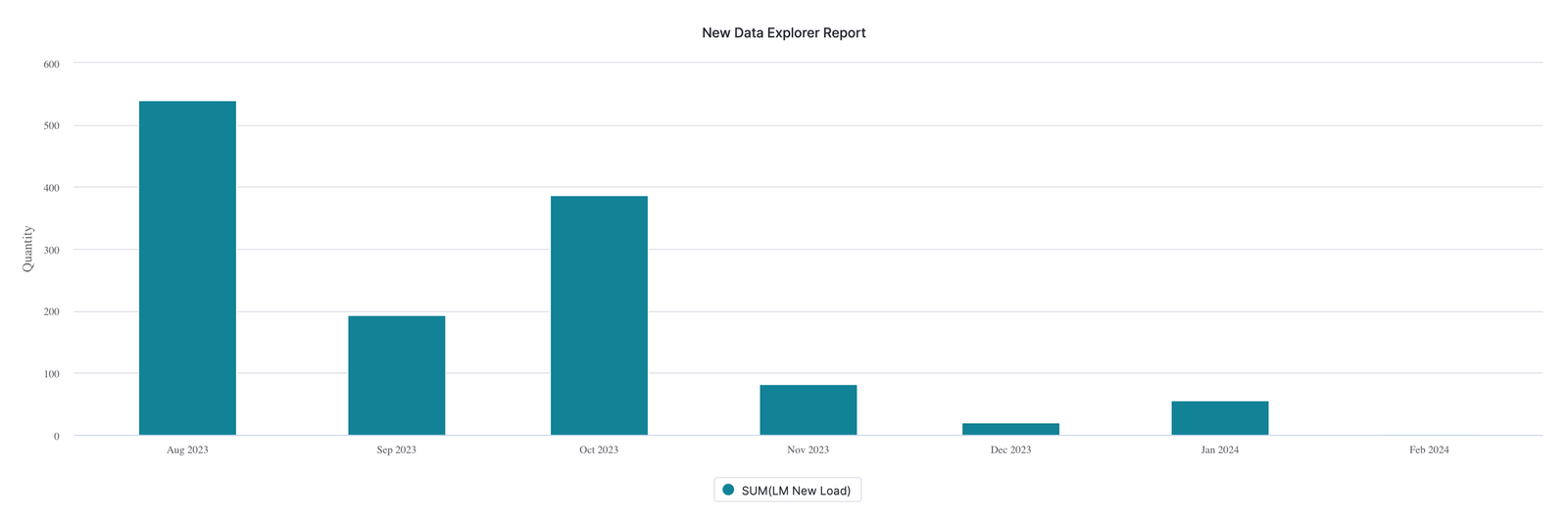
1. Load Data Feature Use
Pendo Data: Data Use Spikes (Last 180 days, Feb 9, 2024)

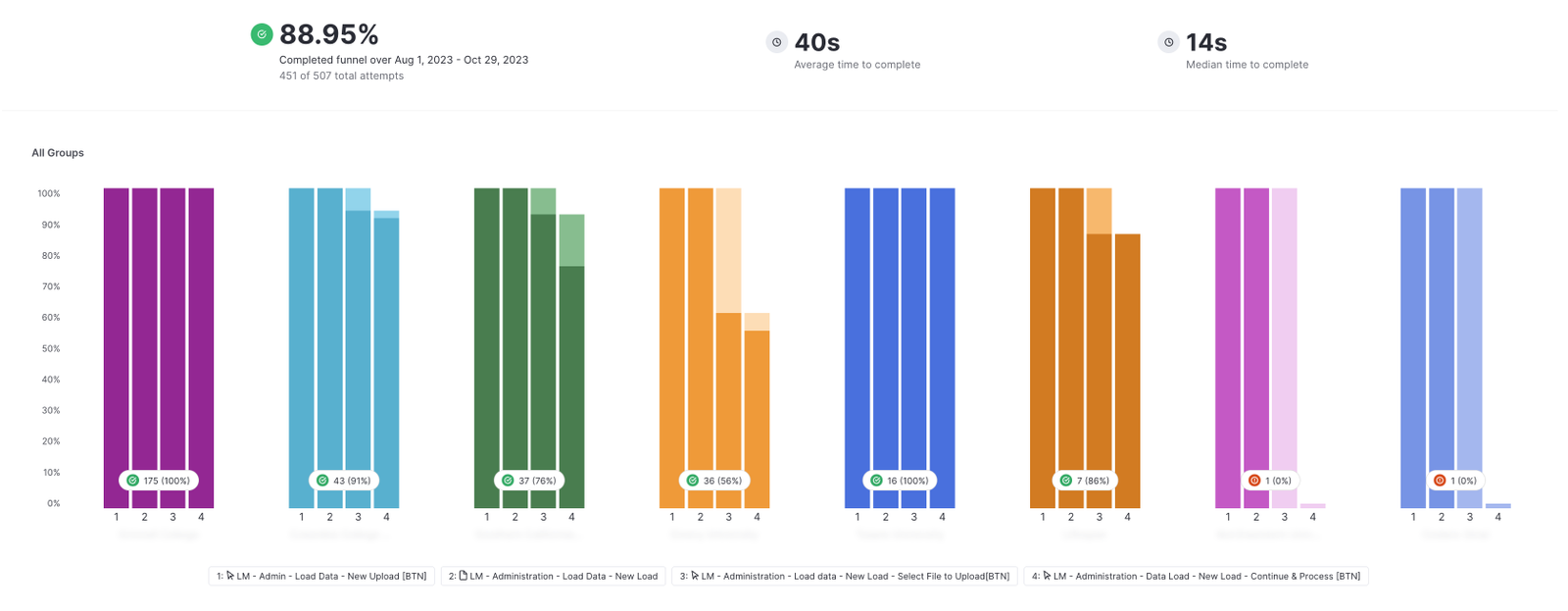
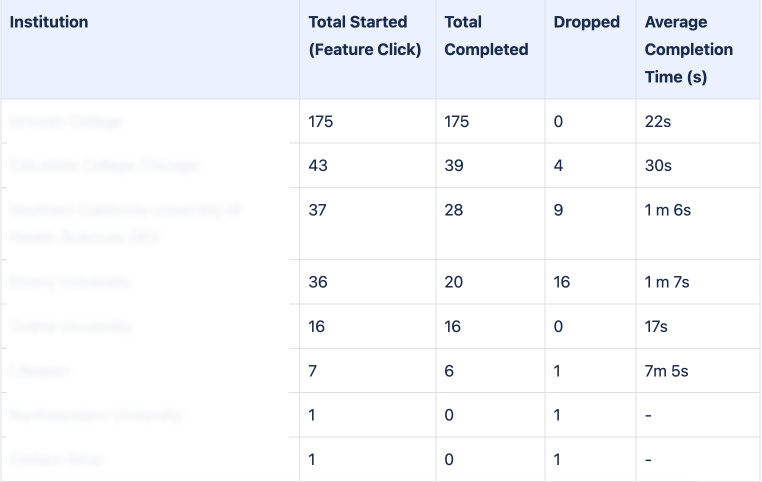
2. Who uses the Load Data functionality?
Load Data Users (Aug - Oct 2023)
3. How do users use the load data feature?
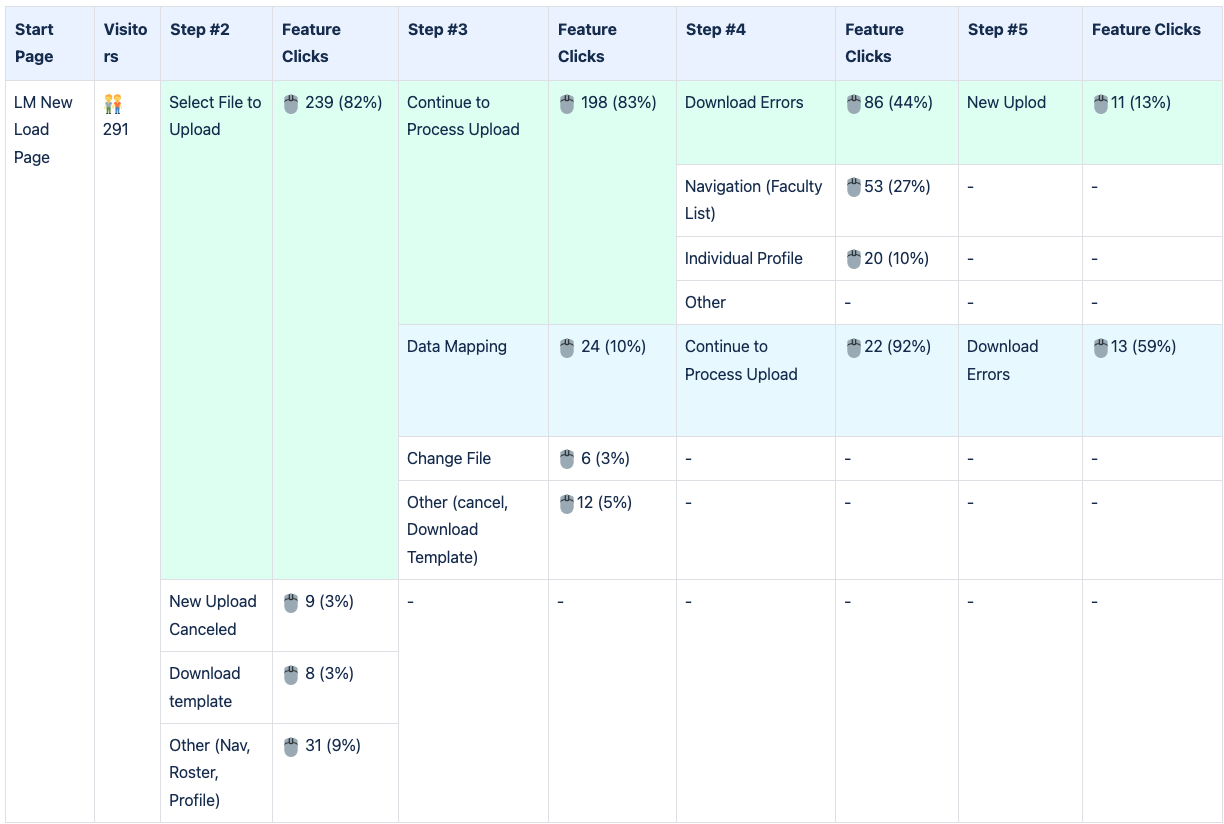
LM Load Data User Path (Aug - Oct 2023)
- Collapsed repeating steps
- Removed duplicate visitors' path
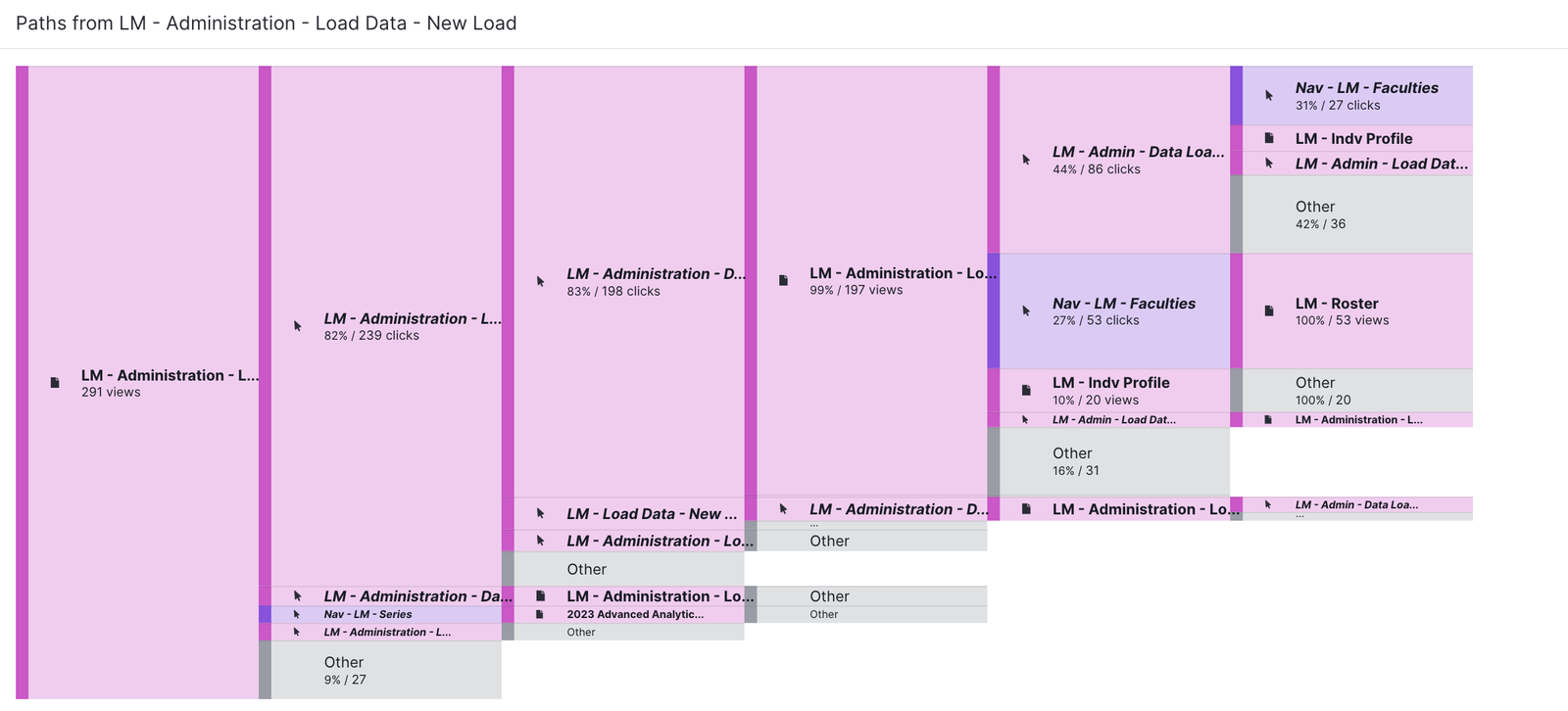
An LM Load Data user path chart is a graphical representation of a user's journey through a load data process in Lifecycle Management. It visually tracks and displays the sequence of actions or events carried out by the user. The chart starts from the user's entry point, the “New Load” page, and ends at the user's exit point, the “Load Data” page. Each node or point between these two ends represents different Lifecycle Management pages or steps the user takes. The chart/table shows that most users completed the process by submitting a file after selecting it for upload. However, some users had to carry out a data mapping process to submit the file. This suggests that users who use the data mapping tool might be using files that are not the standard Interfolio template for data loading.
Among 239 users who initiated the data loading process, 220 (approximately 92%) successfully uploaded a file. Of the users who uploaded the file, 10% utilized the data mapping tool; these individuals likely used the CSV file instead of the Interfolio template. Within this group of 220 users, 99 (45%) downloaded the error file, with only 13 (13%) of the 99 commencing new uploads.
Our assumption is that less than 60% of users who start a data load successfully complete the upload in one session.
This chart helps identify friction points and areas for improvement in UI/UX design to enhance the overall user experience.
4. User Path: Data upload
5. How do users interact with LM during the data upload process?
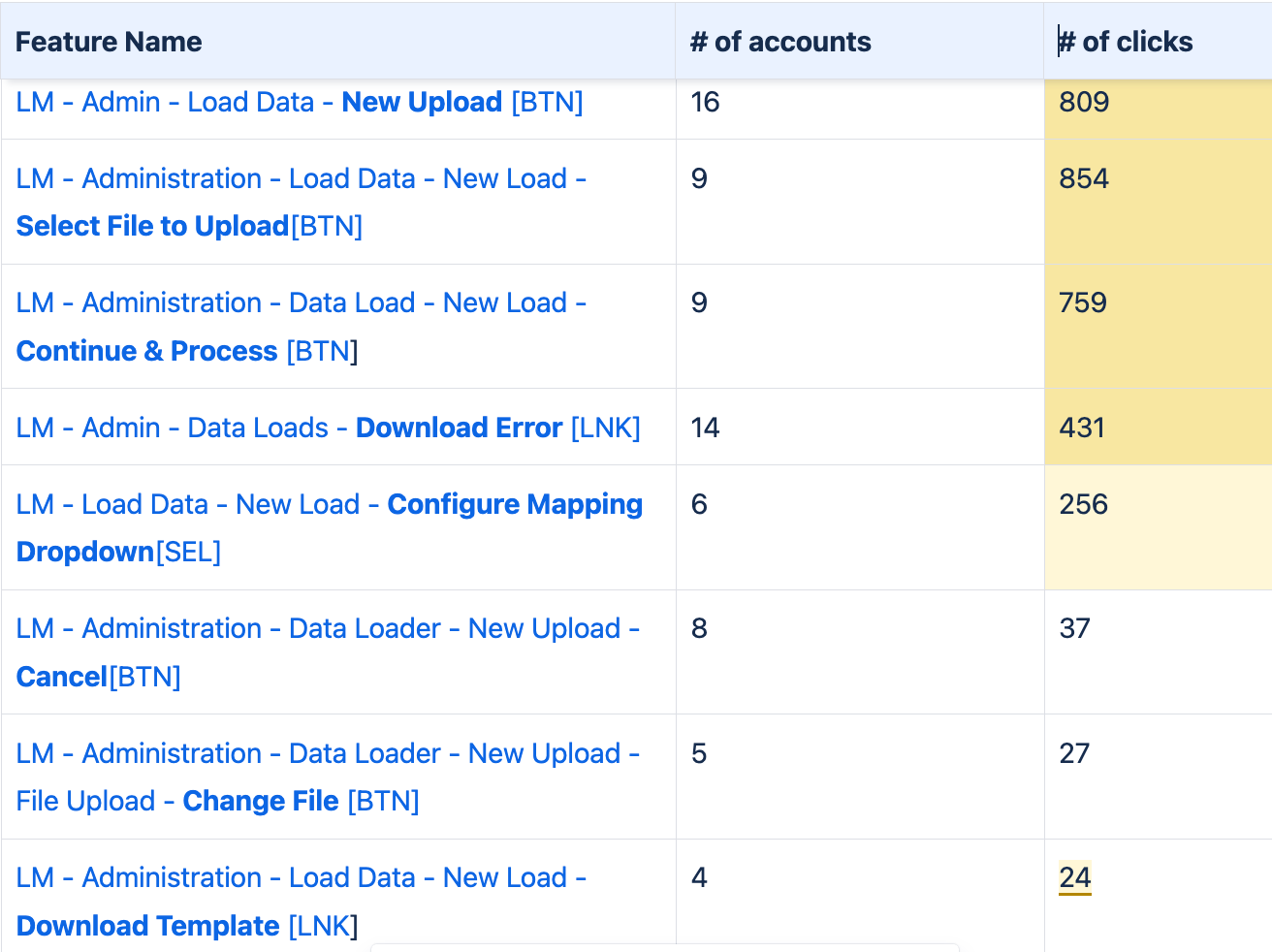
Load Data feature clicks (Feb 11, 2023 - Feb 11, 2024) from Hight to Low
Key Findings & Recommendations
- We assume that less than 60% of users who start a data load successfully complete the upload in one session (without errors). Among 239 users who initiated the data loading process, 220 (approximately 92%) successfully uploaded a file. Of the users who uploaded the file, 10% utilized the data mapping tool; these individuals likely used the CSV file instead of the Interfolio template. Within this group of 220 users, 99 (45%) downloaded the error file, with only 13 (13%) of the 99 commencing new uploads.
Users can load data into LM using either the Interfolio template file or any other CSV format file containing the necessary information. However, if they opt for the latter, they must use the LM UI mapping tool to apply the data mapping. - Users can download the Interfolio template through the LM User Interface. Furthermore, during the module's implementation, the implementation team representative provides clients with Interfolio data load templates. These templates can be used at a later stage in the implementation process.
- The user has suggested improvements for the LM Load Data feature:
- Enhance editing and deleting capabilities after data has been loaded.
- Provide feedback notifications after successful data uploads.
- Modify field requirements according to the user's needs and abilities.
- Allow greater adaptability in data formats, e.g., excel.
- Provide user-friendly prompts, instructions, and adaptable templates based on user capabilities.
Recommendations
Further research is needed: Currently, most data can only be added to LM through the data load function. Initial findings suggest that less than 50% of users who start the data load process can successfully complete it in one session. Therefore, conducting more research to identify the reasons behind user drop-offs and ensure we deliver functionality that meets users' needs is important.
Quick Wins
Enhance Editing and Deleting Options: Once the data has been uploaded, users should be able to manipulate it as they please. They should be able to undo the uploaded data or make bulk edits using the data load feature.
Notifications on Data Upload: To ensure users are aware that their data uploads have been successful, it is recommended that an in-product notification be incorporated. This notification's primary objective is to offer users immediate and contextual feedback (Provide users with feedback on successful data upload).
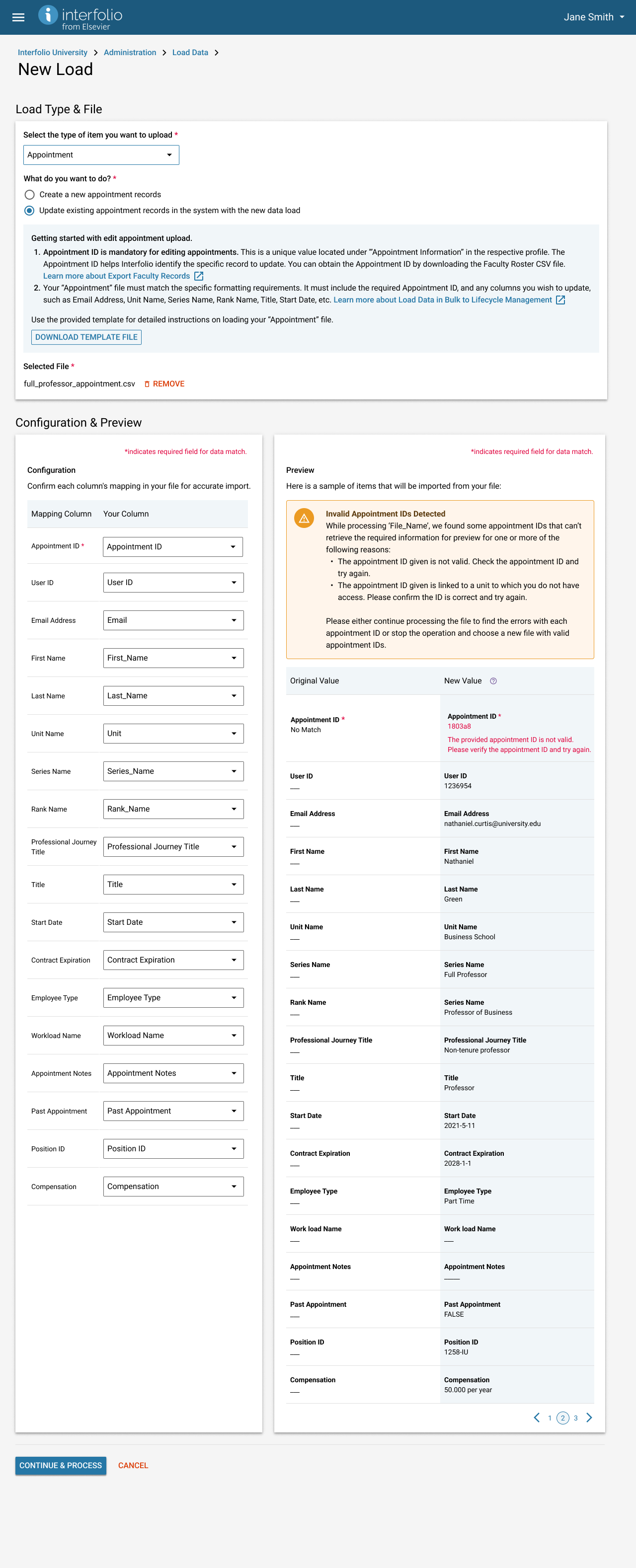
Error Notification: To enhance accessibility and create a more user-friendly interface, it is recommended that the required mapping fields include an error state and description. This should be done after users have selected the file to upload and when the action is required.
Simplified Load Data Process: The existing process can be streamlined to make it user-friendly. This can be accomplished by breaking down the process into simple steps and enhancing on-screen instructions to improve user understanding and guidance during the process.
Support for additional Data Formats: Currently, the system only supports data uploads via CSV format files. Based on user requests, consider supporting more popular data formats like Excel, making the data input process more accessible and user-friendly.
Onboarding/Training: providing an interactive tour or a short training video on leveraging the software to its fullest potential can also reduce the complexity and increase usage.
 Next Steps
- Apply the UX recommendations in the design concept.
- Begin enhancing the LM through the implementation of quick wins.
- After implementing the quick wins, analyze the data load process metrics to determine whether further research is required.
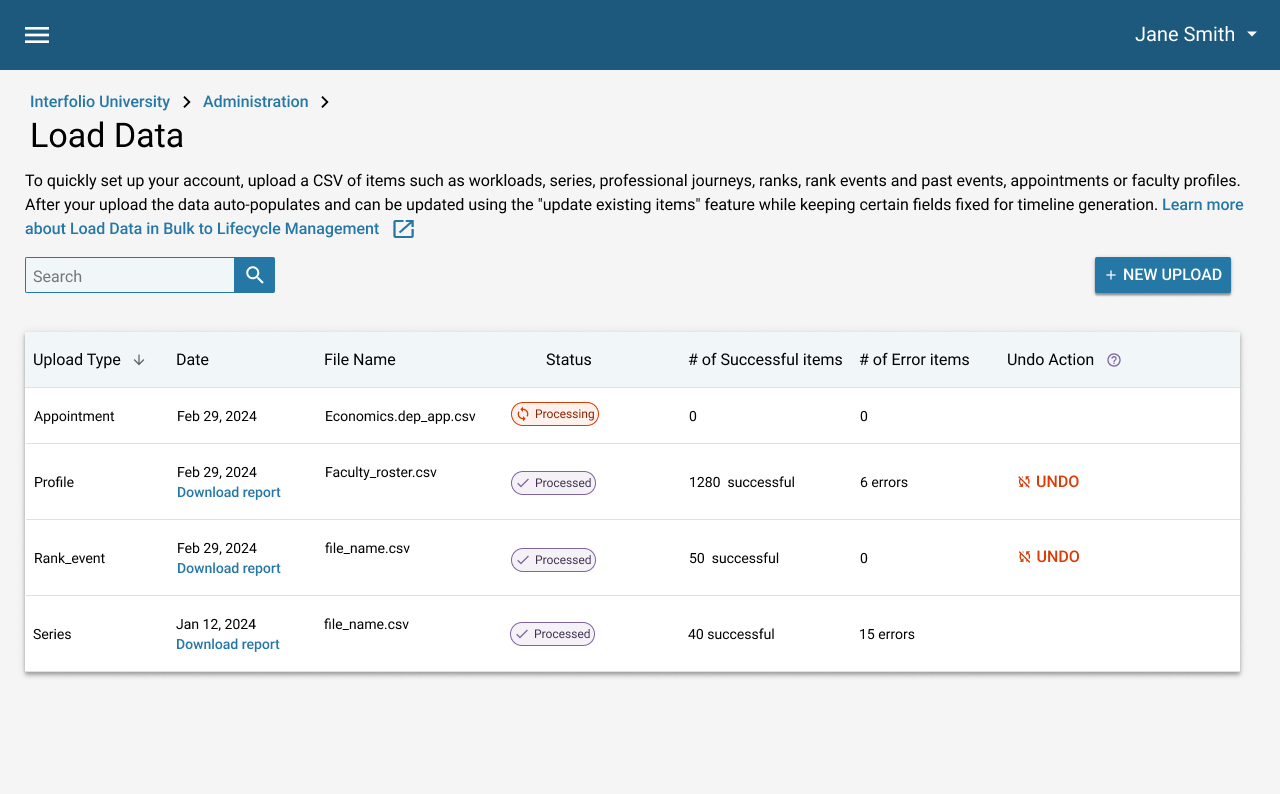
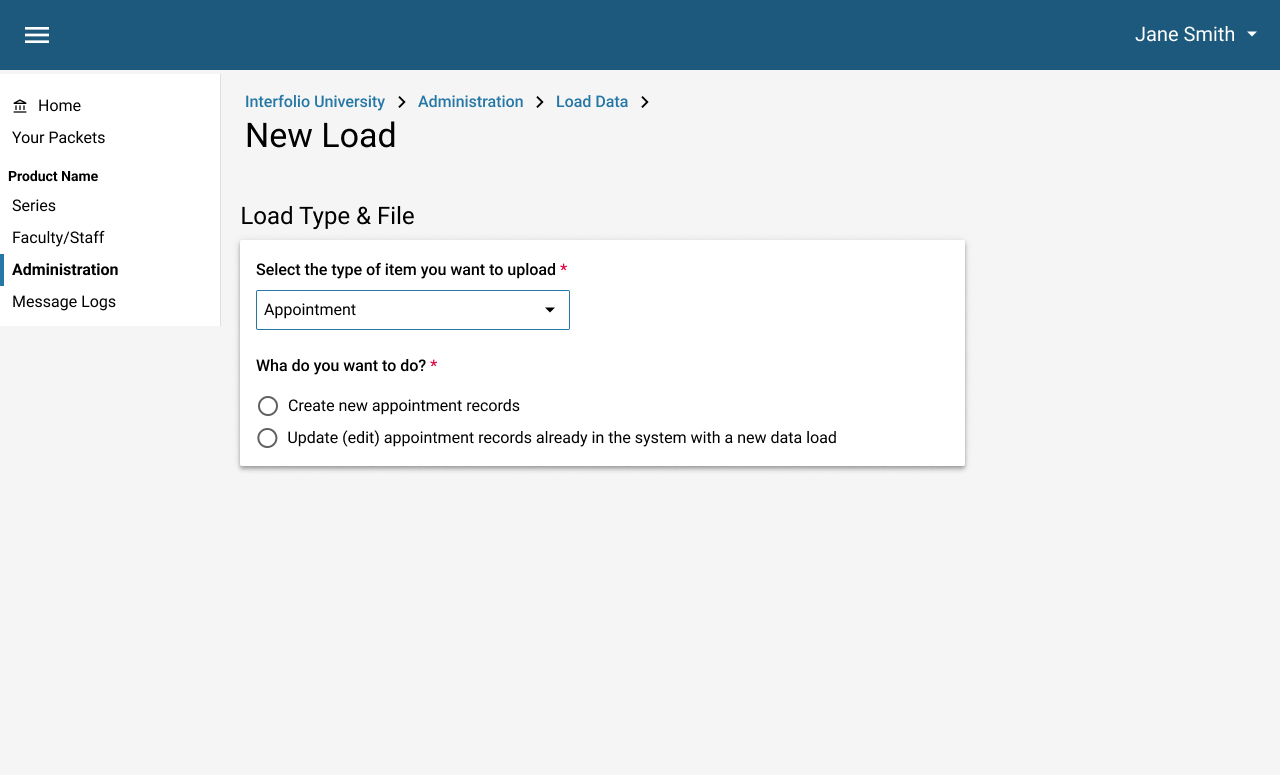
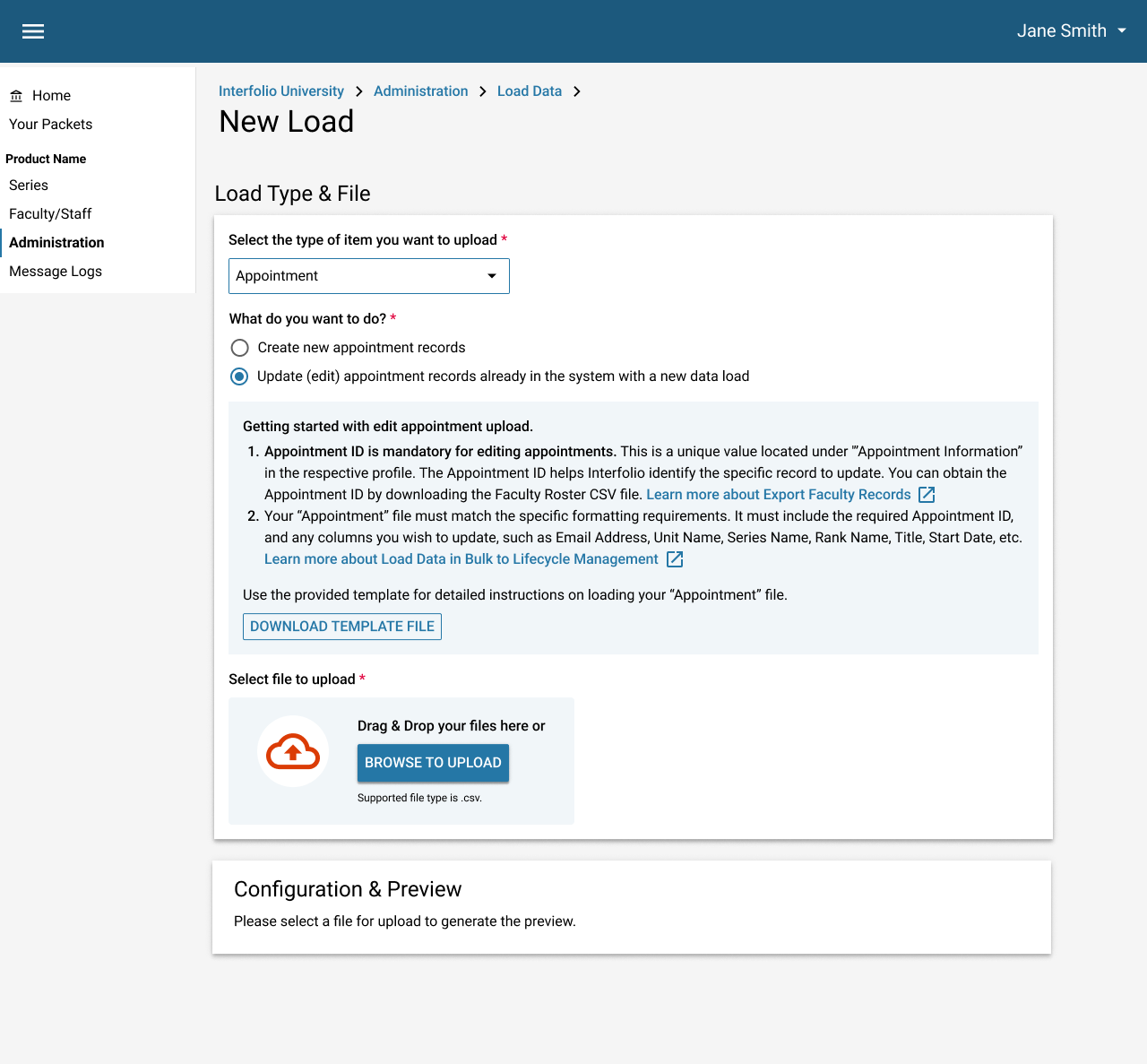
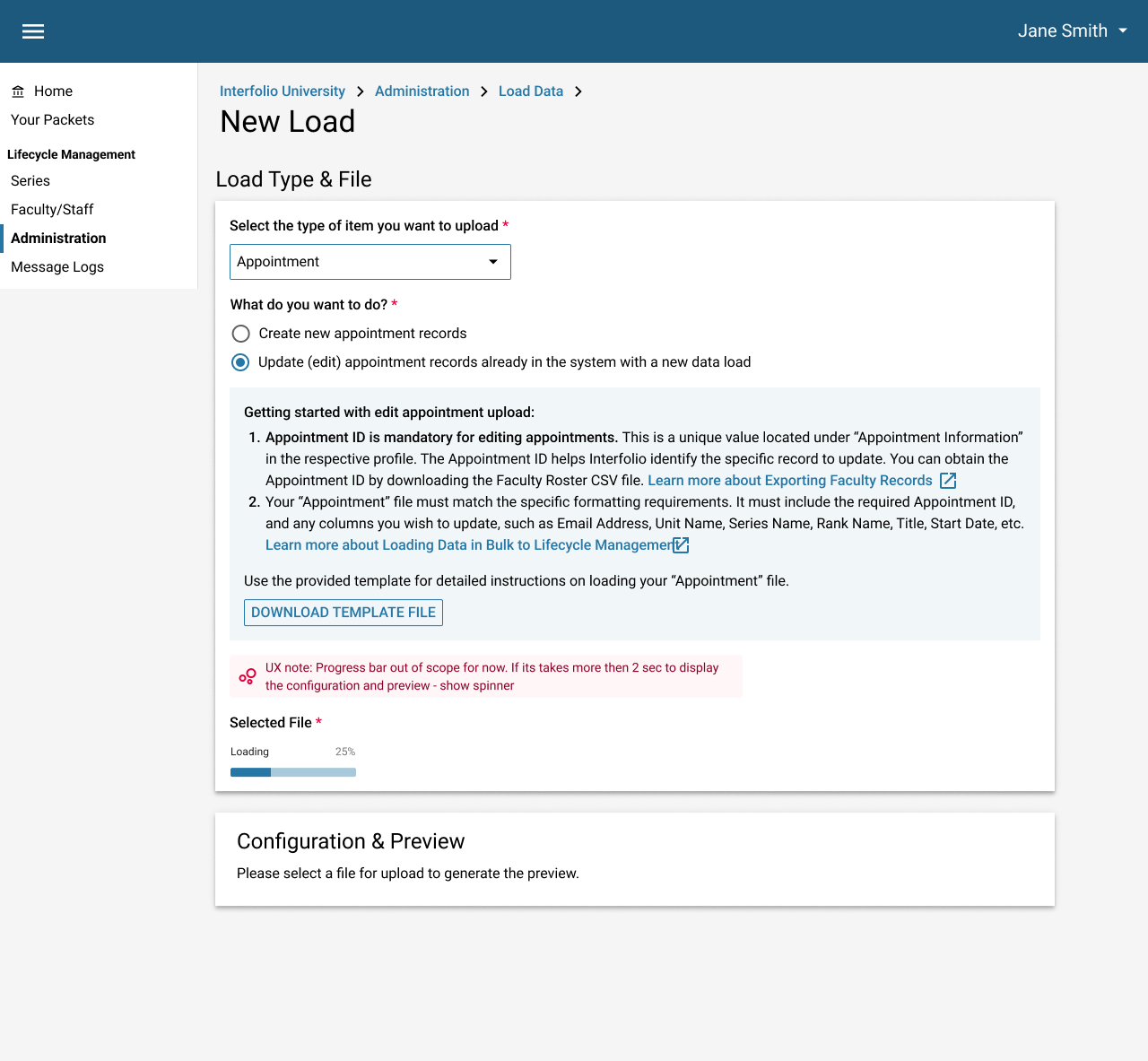
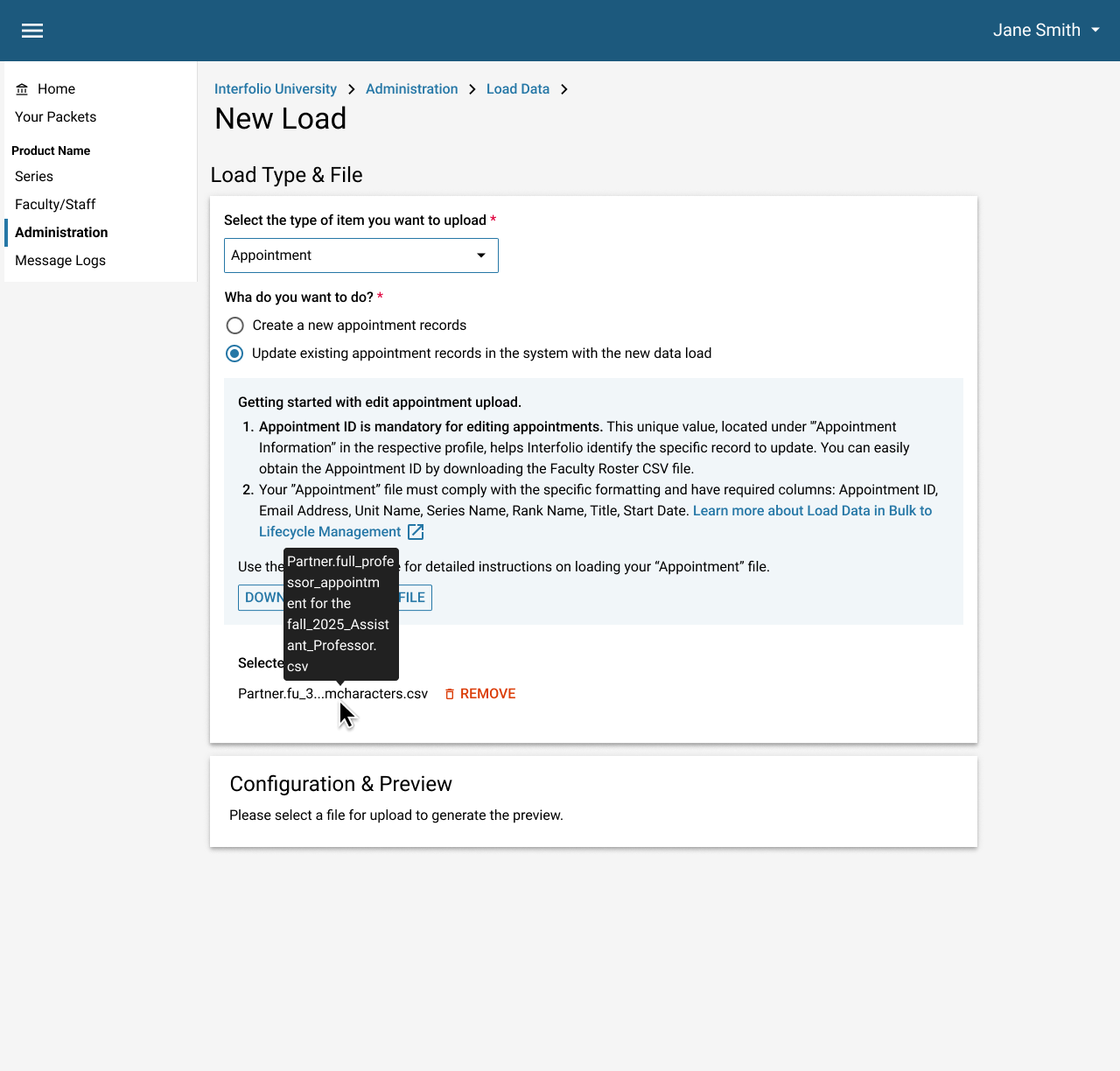
??Wireframes
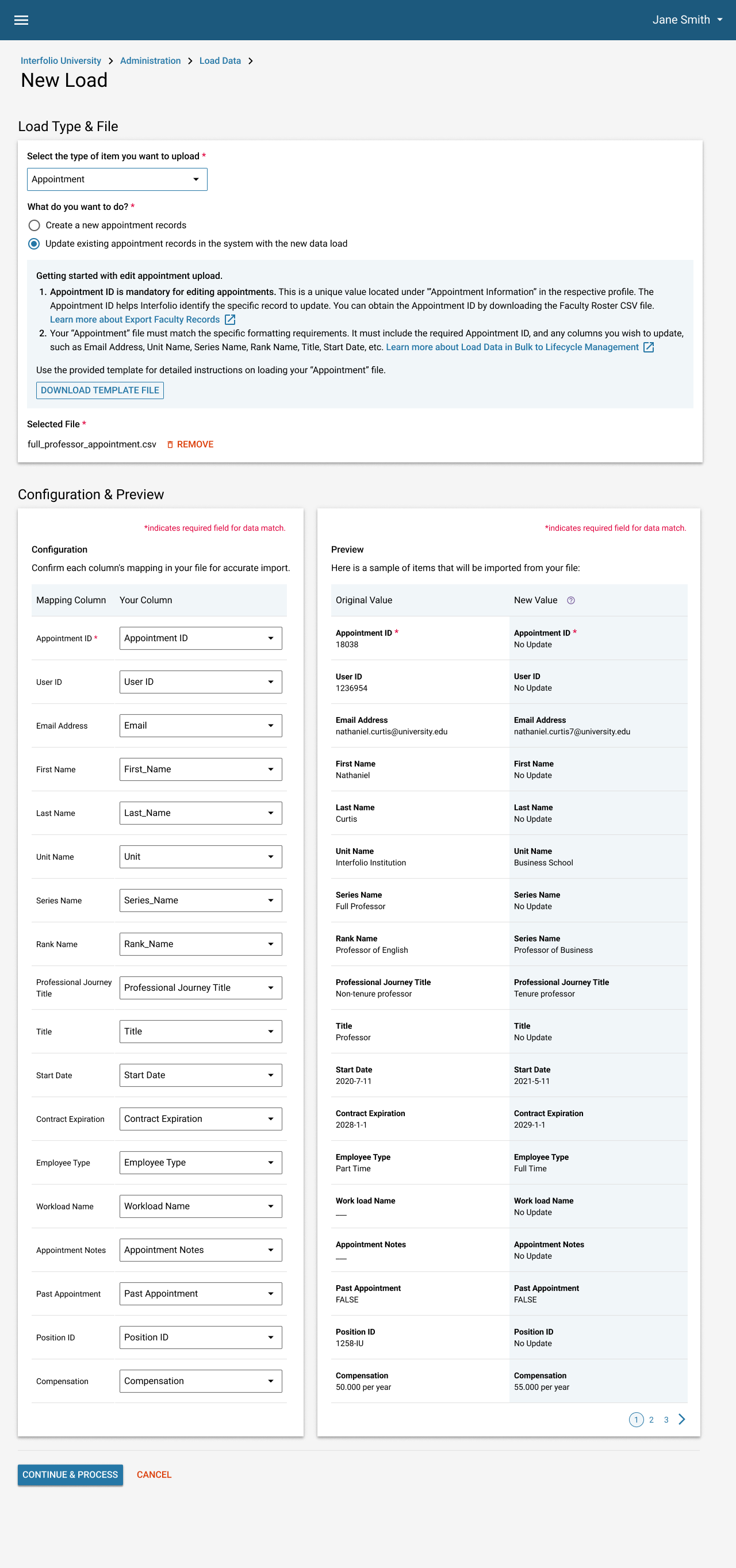
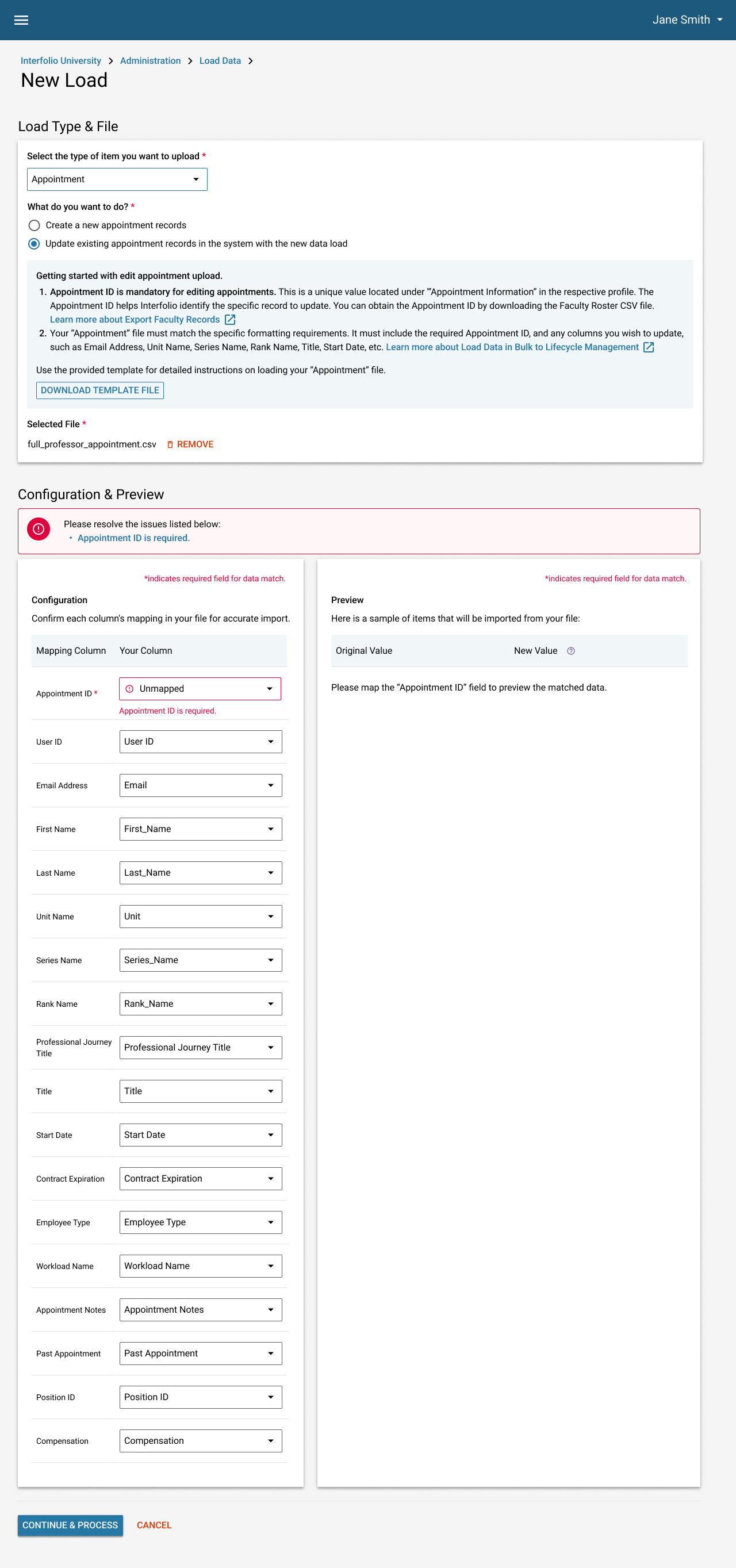
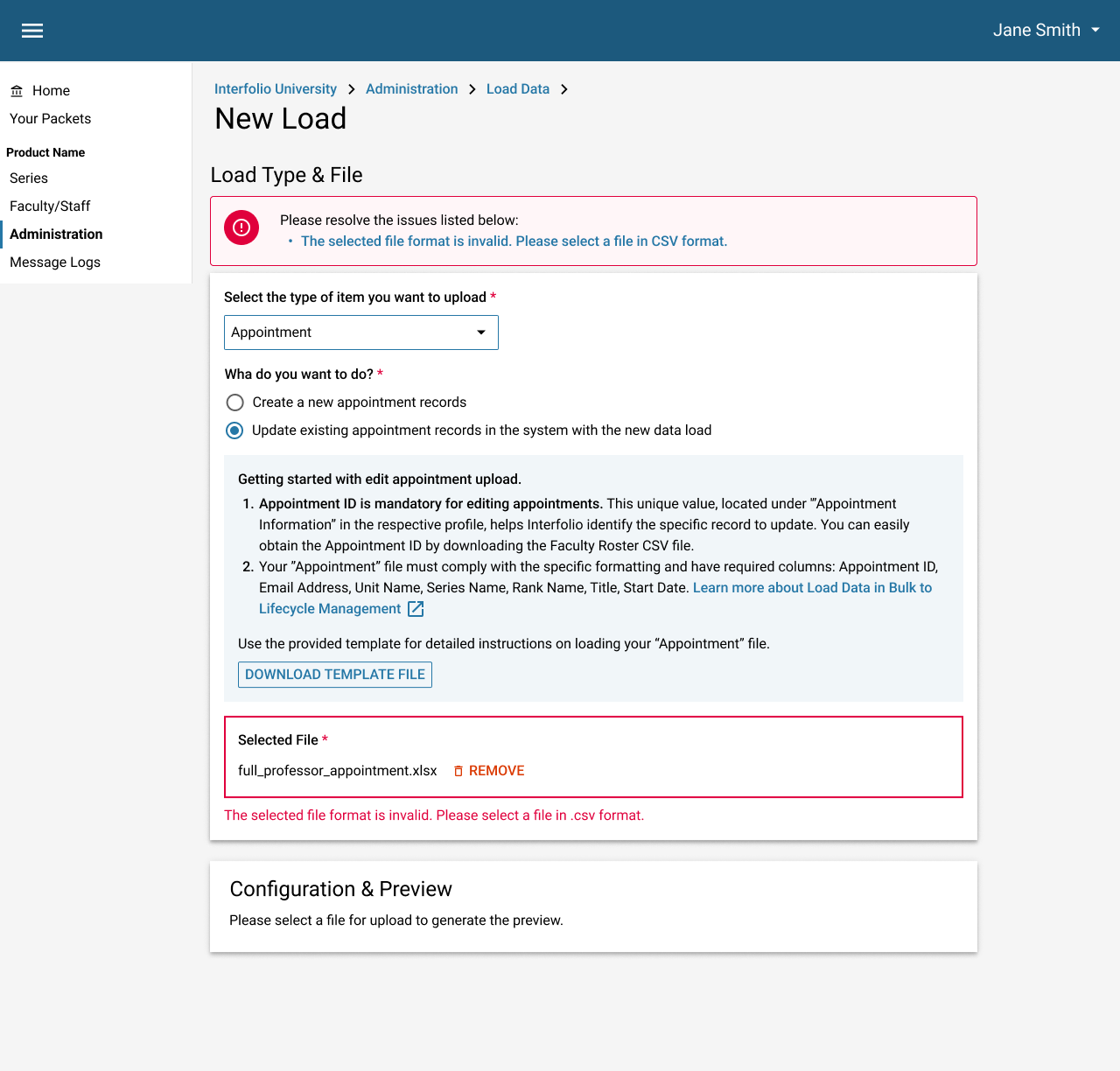
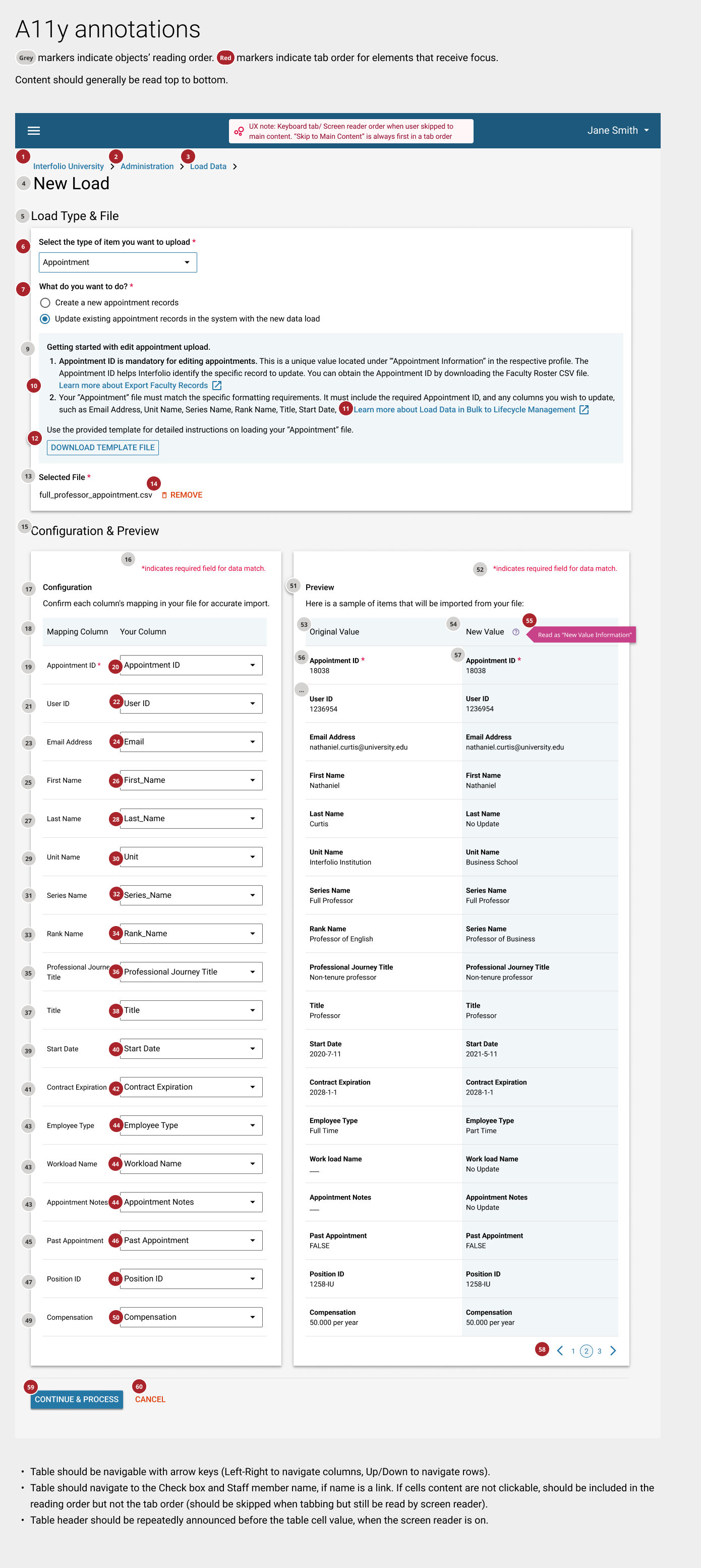
Accessibility Annotation
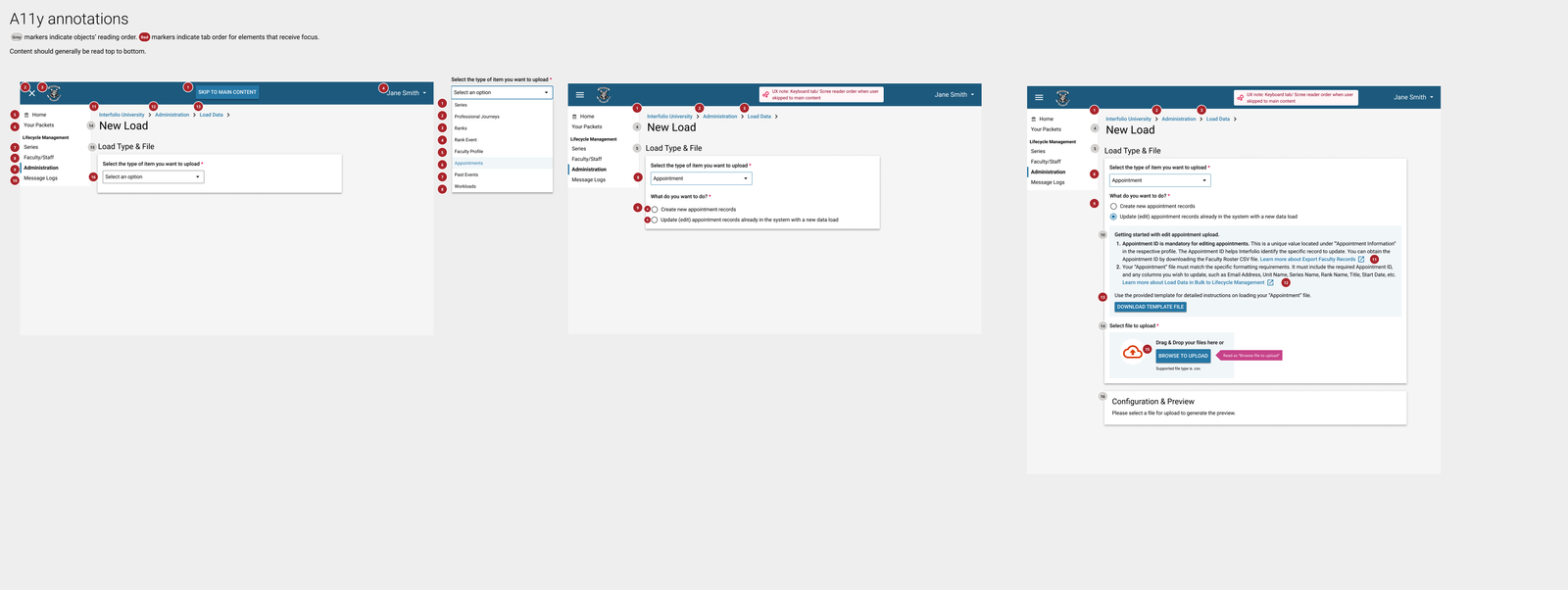
Selected Works
Advanced AnalyticsData Vizualisation

New AppointmentSAAS UX Design
Edit Appointment Information via Data LoaderSAAS UX Design